
MaxDiff
MaxDiff (Maximum Difference Scaling) asks respondents to choose one Most and one Least item in a series of tasks.
What it looks like
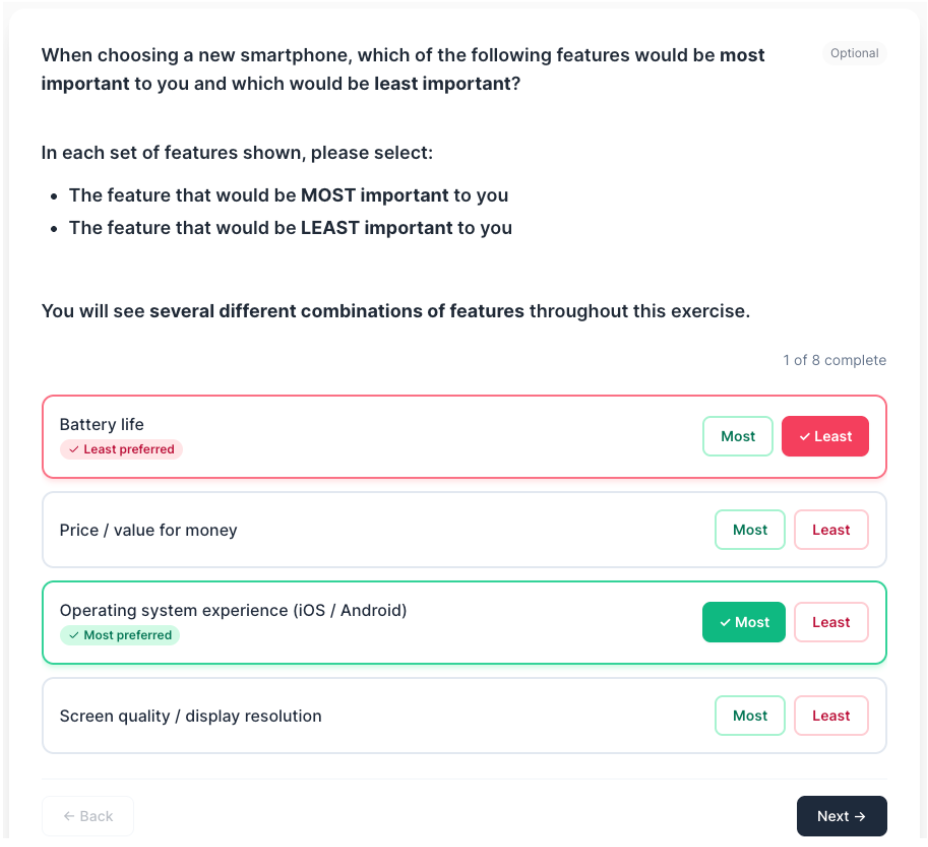
How to create
1
Open your survey in the Survey Builder.
2
Click Add Question and select MaxDiff.
3
Enter your prompt and add the list of items (options).
4
In Properties, configure MaxDiff Settings:
- Items per task (set size)
- Number of tasks
- Randomize tasks
- Allow “Can’t choose”
- Show progress
5
Preview and complete a full run-through to confirm navigation and rules.
Best for
- Feature prioritization
- Message testing
- Studies with many items where simple ranking becomes unreliable
Tips
- Use clear, distinct item labels.
- Keep tasks short and consistent.
- Add an Information Block explaining the Most/Least selection.