
Signature
Use Signature to capture an on-screen signature.
What it looks like
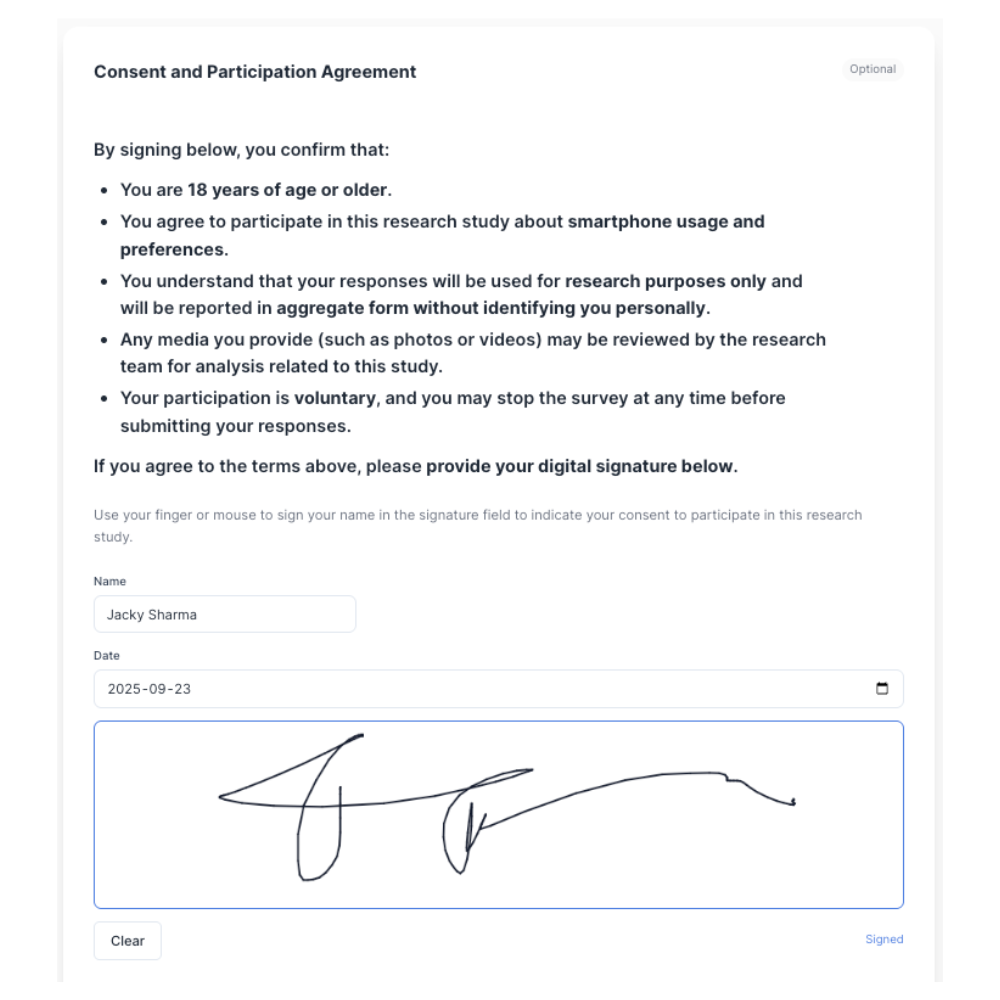
How to create
1
Open your survey in the Survey Builder.
2
Click Add Question and select Signature.
3
Enter your prompt (include what the respondent is signing/agreeing to).
4
In Properties, configure Signature Fields (optional):
- Name
- Company
- Title
- Date
5
Preview and test signing with a mouse and touch device.
Best for
- Consent and acknowledgements
- Confirmations that require a signature
Tips
- Add an Information Block explaining what the respondent is agreeing to.