
Dartboard
Dartboard is an interactive prioritization question. Respondents place items into rings to show which options are most important or most preferred.
What it looks like
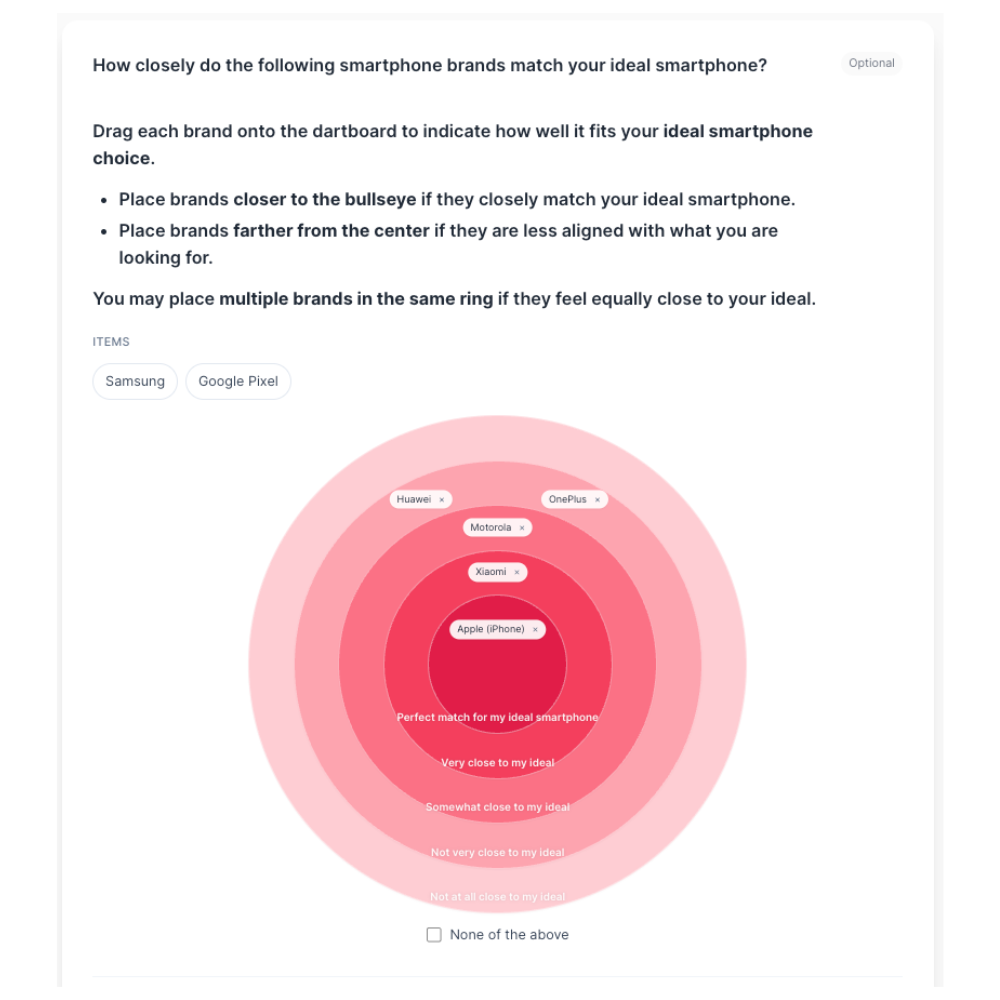
How to create
1
Open your survey in the Survey Builder.
2
Click Add Question and select Dartboard.
3
Add the items you want respondents to place (these are the question options).
4
(Optional) Configure Dartboard Settings:
- Min items to place
- Ring labels (optional)
- Ring colors (optional)
- No preference option (and No preference label)
5
Preview and complete a full test run to confirm the placement rules match your intent.
Best for
- Forced prioritization
- Categorizing options into “tiers” (top / mid / low)
- Research where drag-and-drop interaction helps engagement
Tips
- Keep the number of items manageable (for example, 6–12).
- Use ring labels that clearly explain what each ring means.
- If you only need a linear ordering, use Rank Order instead.