
Creating Your First Project
Projects are the foundation of organizing your research in Quali-Fi. They act as containers for related research activities such as; surveys, video focus groups, video interviews, and more. This guide walks you through creating and configuring your first project.
What is a Project?
A project in Quali-Fi helps you:
- Organize related research activities in one place
- Collaborate with team members on shared research goals
- Track progress across multiple research activities
- Analyze data from different sources together
- Manage participants across research activities
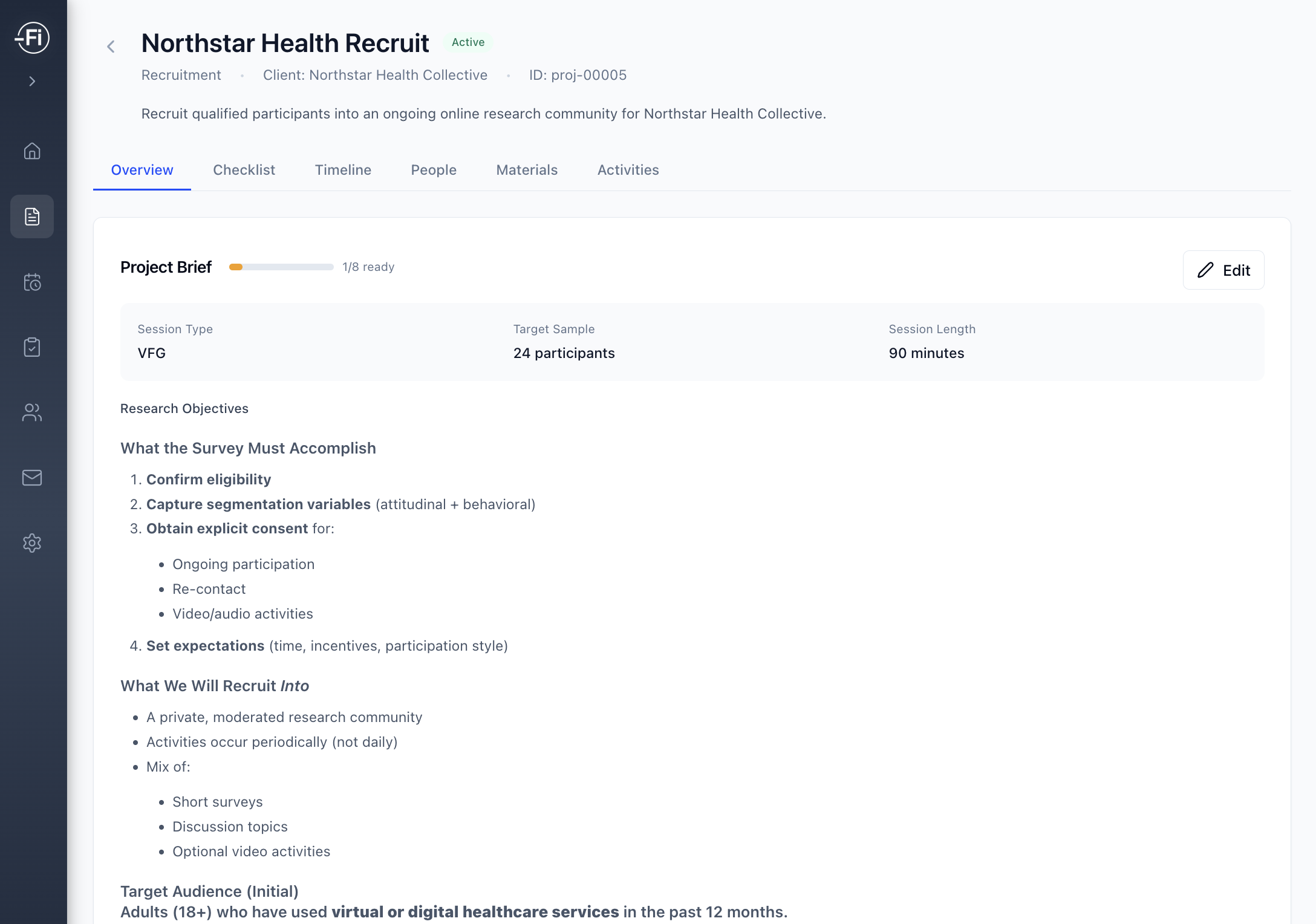
Planning Your Project
Before creating a project, consider:
Research Objectives
What questions are you trying to answer? For example:
- "How satisfied are customers with our new product?"
- "What features do users want in the next release?"
- "How do employees feel about the recent policy changes?"
Research Methods
Which Quali-Fi features will you use?
| Method | Best For |
|---|---|
| Surveys | Quantitative data, large sample sizes |
| Video Focus Groups | In-depth qualitative insights, group dynamics |
| Video Interviews | Detailed individual perspectives |
| Polls | Quick pulse checks, simple questions |
| Discussion Boards | Ongoing conversations, asynchronous feedback |
Timeline
When do you need results? This affects:
- Survey distribution timing
- Focus group scheduling
- Participant recruitment deadlines
Tip
Start with a clear research objective. It's easier to create effective surveys and discussions when you know exactly what you're trying to learn.
Creating a New Project
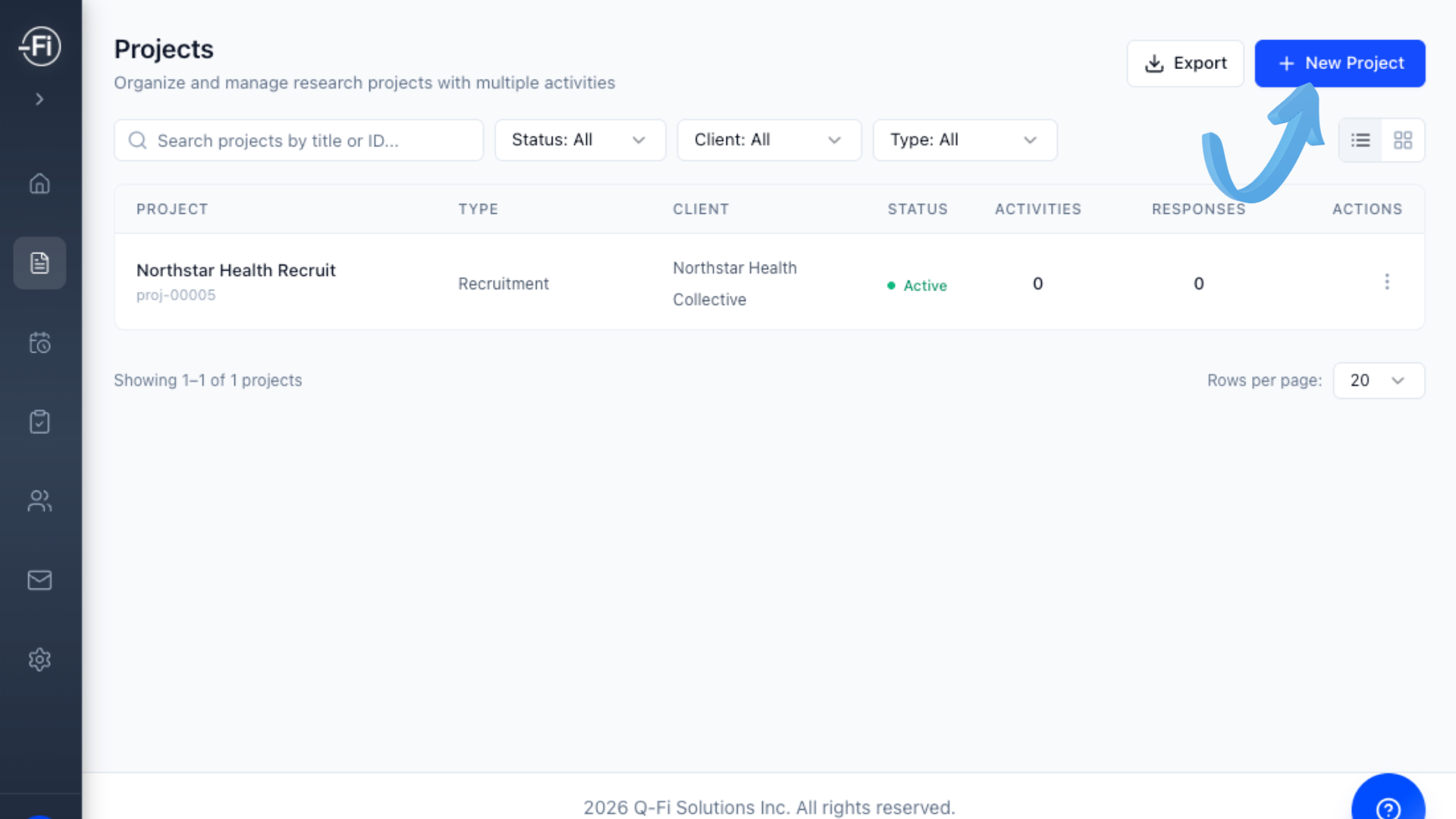
Open the Project Creator
From the main projects page, click the New Project button in the top-right corner.
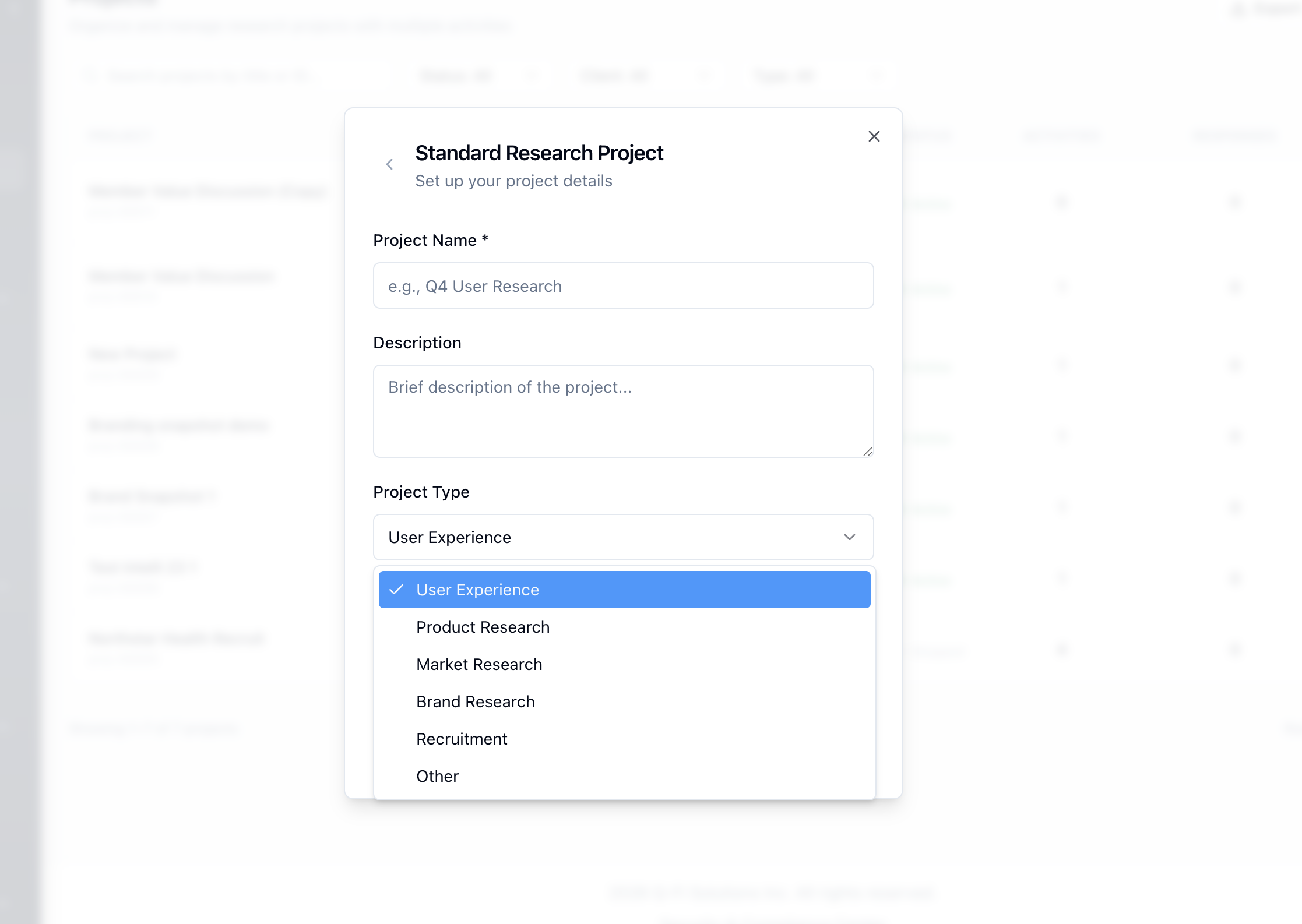
Fill in the project details
- Name
- Description
- Project Type - this will help determine some prefilled project properties
Review and Create
Review your settings and click Create Project.
Next Steps
Now that you have a project, start adding research activities:
- Creating Surveys - Build your first survey
- Question Types - Learn about available question types
- Scheduling Focus Groups - Set up video sessions
- Recruiting Panel Members - Build your participant pool